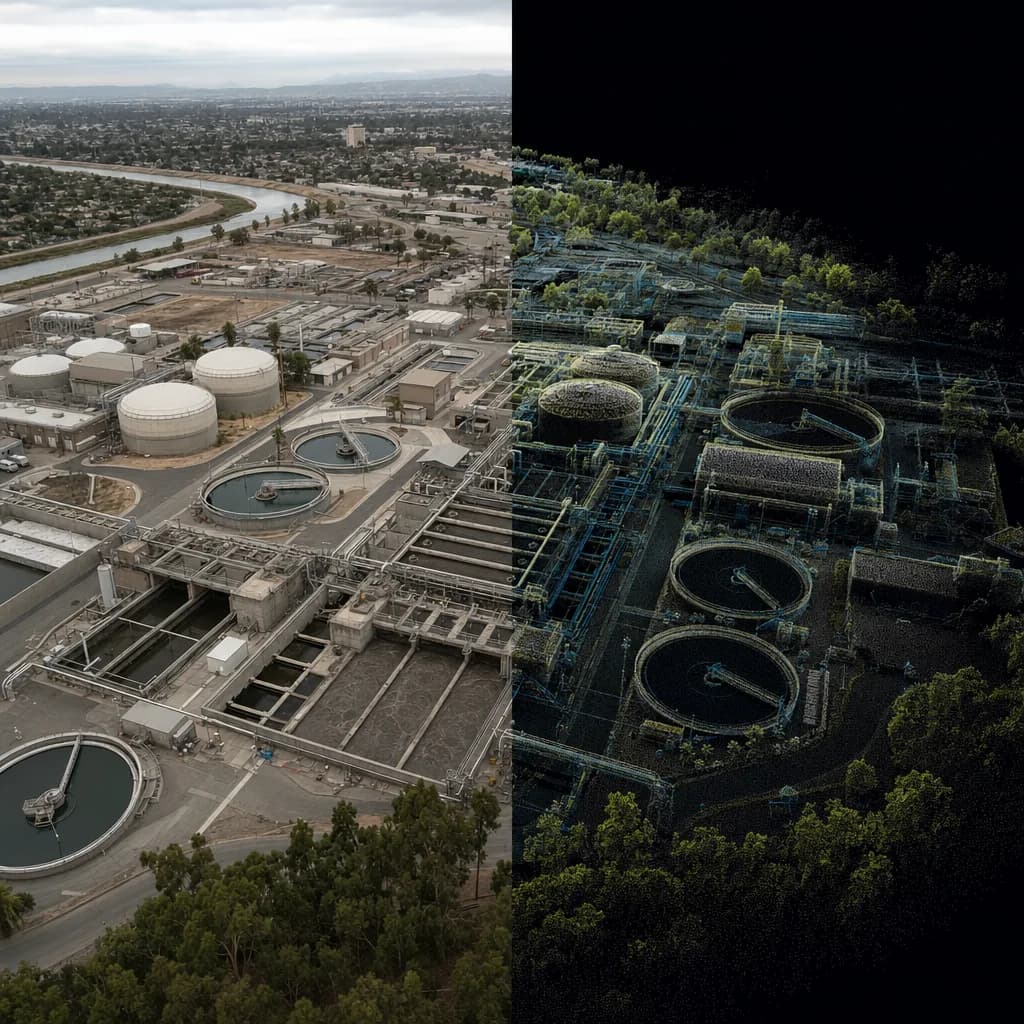
Digital twins
A measured 3D twin of your site, inside and out.
We combine drone LiDAR, ground laser scans and imagery into one registered model of your site, facility or structure, delivered in the formats your CAD, BIM and GIS tools already open, and refreshed when the site changes.
California · Metro Atlanta · South Florida · $2M insured · Fast turnaround
Illustrative image
01What goes in
Air and ground data in one coordinate system
A twin is only as useful as its weakest view. We capture each part of the site with the method that sees it best, then register everything to the same control.
Drone LiDAR and imagery
The outside of the site: terrain under vegetation, roofs, yards, slopes, basins and stockpiles, captured from the air in one visit.
Ground laser scans
What a drone can't see: building interiors, plant rooms, facades, the underside of bridges, culverts and tunnels. Tripod scanners for detail, handheld and vehicle scanners for speed.
Terrestrial and mobile LiDAR→Control and registration
Every scan is tied to GNSS control and registered into one coordinate system, so air and ground data line up and the twin measures true.
Models and context
Terrain models, contours, meshes and orthomosaics built from the registered cloud, plus the attributes and photos your team wants attached.
02Where it pays off
Who uses a twin, and for what
Common examples, not a limit. If a site, building or structure needs to be measured and kept current, we can twin it.
Landfills, quarries and stockpiles
A terrain twin that grows with the site. Each new capture is registered to the last one, so remaining airspace, volumes and change maps come from the same surface history.
Plants and facilities
Water and wastewater plants, warehouses and industrial sites, inside and out. Plan retrofits, check clearances and route new pipe or conduit against what is actually there.
Bridges, culverts and flood control
Debris basins, channels, culverts and bridge structure in one model, with ground scans under the deck and drone data above it. A dated record for inspection and maintenance planning.
Construction and as-builts
Capture each stage against the design model. Compare what was built to what was drawn before it gets covered up.
Buildings and renovation
Existing-conditions point clouds of facades, roofs and interiors for architects and engineers, including post-fire rebuild sites where records are gone.
Campuses and portfolios
One coordinate system across many buildings and grounds, so facilities, planning and security teams work from the same model.
Also: utilities and energy, solar and wind sites, transportation and rail, water and wastewater, agriculture and irrigation, ports and industrial facilities, real estate and campuses, architecture and renovation, golf courses and parks, insurance and claims, film and virtual production, environmental and restoration, and more.
03Deliverables
Files your tools already open
| Output | Formats |
|---|---|
| Registered point cloud | LAS/LAZ, E57, and RCP/RCS for Autodesk ReCap, Revit and Civil 3D |
| Mesh | OBJ, FBX or glTF, textured from imagery where the scope calls for it |
| Terrain | DEM/DTM GeoTIFF, contours and surfaces in DXF/DWG or LandXML |
| Imagery | Orthomosaic GeoTIFF and georeferenced photo sets |
| Web viewer | A browser link your team and clients can open without installing software |
| QA report | Control, checkpoint residuals and registration accuracy for the capture |
See how a delivery looks in the 3D viewer demo, or open sample LiDAR datasets in your browser.
04Process
From scope to a twin that stays current
01
Scope
We start from the decisions the twin has to support, then set the area, level of detail, accuracy, coordinate system and formats.
02
Plan
We choose the capture mix for the site (drone, tripod, handheld or vehicle) and source the equipment for the job.
03
Capture
Drone flights are planned by our planning agent with an FAA Part 107 pilot in command. Ground scans are tied to the same control.
04
Register and build
Scans are registered, checked against control and turned into the agreed models.
05
Deliver and refresh
You get the files, a viewer link and the QA report. Repeat captures are registered to the first, so the twin stays current.
Common questions
FAQ
What is a digital twin in practice?
For most of our clients it is a measured 3D record of a real site or facility: a registered point cloud plus the models built from it, in a known coordinate system, refreshed when the site changes. It is not a sensor dashboard; if you already run one, the twin gives it accurate geometry.
Do you build BIM or Revit models?
We deliver registered point clouds that open directly in Revit and other BIM tools. If you need the model drawn from the scan, tell us during scoping and we will plan the handoff to your modeler or a modeling partner.
How accurate is the twin?
It depends on the capture method and the scope. Every delivery includes control and checkpoint results, so you see the measured accuracy instead of a brochure number.
Is a digital twin a survey?
Not by itself. When the twin's elevations, contours or locations will be relied on for design or permitting, a licensed surveyor signs the deliverable: a PLS in Georgia, a PLS or civil PE in California, a PSM in Florida. We work under that sign-off.
What equipment do you use?
We are equipment agnostic and source the drone, LiDAR and ground scanners for each job, based on the site, the accuracy target and any funding rules. See the equipment guide for what we recommend and when. Equipment guide →
What should your twin answer?
Send the site, what your team needs to see or measure, and the software it will open in. We'll recommend a capture mix and scope.